
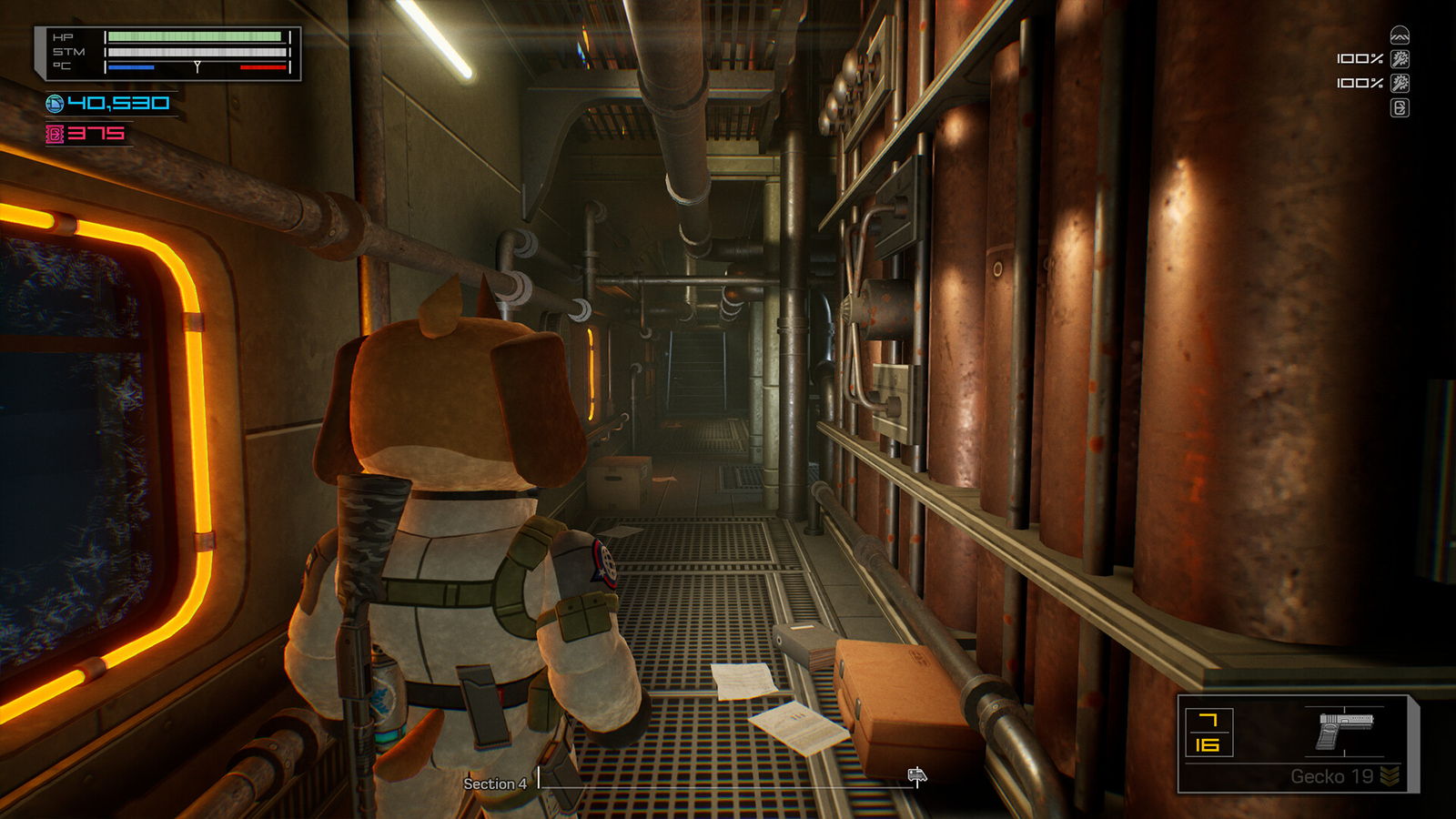
The short version: Pick the easier mode while learning, finish the opening equipment tutorial, put your gun into a quick slot, activate a heat pad before extended exposure, and earn credits without spending every last one. Watch the storm tracker and car condition, repair before critical failure, then move toward the objective rather than staying for one more crate.
Start with a difficulty that lets you learn
The release version presents different difficulty settings. Its own introduction says there is a learning curve: you are managing combat, temperature and train condition at the same time. In the full-version opening, the easier option is described as having fewer, less dangerous monsters and friendlier item drops; a more demanding setting is available once you understand the systems. You do not need to prove anything on attempt one. See the release-version difficulty screen in Wanderbots’ footage.
Treat a run as a moving deadline, not an ordinary level you can empty slowly. The train rearranges its cars at pulse events, storms interrupt travel, and the threat behind the train eventually forces you forward. Some locations and loot change between runs. Memorizing a single room-by-room screenshot route is therefore less helpful than learning the steps below.
Your first five minutes
- Follow the opening tutorial markers and pick up the starting gun; the full release starts with a story mission the old demo did not include.
- Open the Paw Pad, equip the gun into the hand slot, and assign it to a numbered quick slot. A weapon merely sitting in storage is not the same as being ready to fire.
- Practice the two reload actions somewhere safe: moving a filled magazine into the weapon and putting spare rounds into a magazine. They solve different problems.
- Activate a heat pad before the cold becomes an emergency. Monitor health and temperature together; waiting until health falls leaves less room for a mistake.
- Locate the first terminal and follow the current objective. Early story progression has you restore access to the research train before the later repeated train sections begin.
The release-version controls, quick slots and heat-pad sequence are visible in Waddles’ opening run at 2:00 and Wanderbots’ opening at 2:00. On controller, read the in-game prompts: controller layouts and keyboard mappings should not be assumed identical.
Use the three-budget rule
Money, ammunition and time all compete for your attention. Credits unlock passage, purchase supplies and pay for equipment improvements. They come from interacting with or attacking certain objects and enemies, so a little scavenging is part of progress. But an open door that you can no longer afford is a worse problem than skipping an optional pickup.
| What you are short of | First response | Avoid |
|---|---|---|
| Credits | Break or kick nearby credit-giving objects, then check the route price | Buying extra supplies before a required door |
| Ready ammunition | Inspect gun, magazine and spare rounds separately | Assuming an ammo box automatically reloads the weapon |
| Time before the next event | Follow the distance tracker and prepare to move | Sweeping every room after the exit is accessible |
| Warmth | Activate a heat pad, retreat from exposed openings and secure breaches | Fighting outdoors without a return route |
| Train condition | Locate the maintenance terminal and repair in advance | Waiting until a total stop forces an exposed repair |
These are decision priorities, not invented economy formulas. A particular vending price, car layout or weapon drop may differ in your run.
A repeatable car-by-car routine
On entering: note the next objective, your car’s condition and the distance tracker. Identify a sheltered area and an exit route. Check the doors you need to unlock, then count what you can afford.
While looting: obtain enough credits for passage; buy only what addresses a visible shortfall. Keep a weapon accessible and avoid clogging the quick-access slots with items you do not plan to use. When your inventory says an item will not fit despite apparent empty spaces, check its slot size and type rather than moving random objects indefinitely.
Before a storm: make your repairs, load a magazine, stock a healing item if possible, and identify windows or vents that enemies may use. The official press kit confirms enemies arrive in waves during storms and that you can maintain the train using terminals. Developer’s gameplay explanation.
After the encounter: do not interpret a quiet car as unlimited free time. Check whether the exit is now accessible and whether the distance tracker is about to finish. Leave if the route is open and your supplies are adequate. The enormous creature tracking the train is not an invitation to finish looting.
Patch 1.1.6 (September 20): controls and kicks
The second launch-week patch changed how the moment-to-moment controls work, so a few early habits are worth rebuilding:
- Aim assist was added, and it defaults to 50%. Check the setting before you conclude your aim is off.
- Kicking now cancels a zombie’s grab attack, and the stronger the kick, the longer the stun. Kicking an interactable also takes priority over enemy corpses, so you no longer pick up a body when you meant to open something.
- Struggle keys and inventory interaction keys can both be rebound, with keyboard tooltips added to the inventory menu.
- A run method option was added; the notes do not spell out the choices, so read the menu wording in your build rather than trusting a summary.
Patch 1.1.7 (September 22): hardest-difficulty ammo
A short follow-up to 1.1.6:
- On the hardest difficulty, ammo drops become rarer as the sections progress. Plan magazines and vending stops earlier on that setting than you did at launch; the mid-run drought is now intended.
- Boons dragged into the inventory now save properly. If a boon vanished after you pulled it out of the locker, re-test on 1.1.7.
- You can no longer kick and open a universal locker in the same action. Doug no longer gets stuck if stunned while kicking.
Patch 1.1.8 (September 27): Beedle crashes and HUD reads
A small follow-up while the weirder bugs were still being chased:
- Two Beedles exploding at the same time could crash the game. If a storm or corridor fight ended in a hard close, that was the known case — 1.1.8 patches it.
- The window terminal sometimes wouldn’t take focus on a controller. Re-test the window buy/repair prompt if you had to fiddle the stick to select it.
- The stamina bar now shows stack amount on the HUD, and a gun’s tooltip names its ammo type, so you can read both without opening a second menu.
- Laboratory 2 and Hydroponics 2 got art and lighting updates. Layout and loot rules did not change.
Patch 1.1.10 (October 20): fix-only pass
No new content in this one — the developer says the Halloween work is still in the oven. What changed:
- Freeplay scores. Best scores were being written to the wrong mission; 1.1.10 files them correctly, so a record that looked wrong before was this bug, not your run.
- Opening sequence. A door that was never supposed to explode no longer does.
- Missing achievement. Owning a cosmetic without its Steam achievement now grants the achievement from the main menu.
- Kill plane. It catches enemies that fall through the map, and it no longer deletes the Stalker.
- Doug. Reaches for the correct back slot instead of the wrong one.
- Storms. Normal enemies inside an unlocked room are now activated when a storm starts — a room that looked empty is no longer a safe pocket once the storm is up.
Patch 1.1.9 (September 29): storm softlock and heatpack sell
The patch that closed several run-ending bugs:
- Beedles dying in a storm sometimes did not count as a death, which softlocked the wave. If the storm never ended after the last Beedle went down, that was the bug — 1.1.9 counts those kills.
- Selling an already-activated heatpack no longer keeps the heat bonus. Warmth now leaves with the item.
- The final boss can no longer break the floor it is standing on.
- Camera movement lock got another attempted fix; the notes do not claim it is gone for every setup, so re-test if the camera still sticks.
What to fix after a failed run
Died of cold: your problem may be breached windows, an inactive heat pad or a car whose stopped engine disabled heating. The repair and cold guide walks through the difference.
Couldn’t fire despite owning bullets: a bullet stack, magazine, quick slot and equipped weapon are separate states. Consult the inventory and reload guide for a deliberate check order.
Worm caught you at the section transition: a player reported dying at the checkpoint after entering too late. Treat this as a reported timing problem, not proof that every checkpoint is broken; prioritize the section exit earlier. Community discussion.
Lost at the story terminal: follow the objective updates instead of chasing every early dialogue instruction. The walkthrough separates the opening from the repeatable train sections without giving away its ending up front.
One-minute pre-departure check
Before pressing onward, answer five questions: Do I have a gun equipped? Is a loaded magazine ready? Do I have access to heat or a safe enclosed car? Is the current car in good enough condition to travel? Do I know where the next door or extraction point is? A missing answer is worth dealing with before the next storm.
Sources: WildArts official press kit, full-release first run by Waddles, full-release first run by Wanderbots. The developer says the earlier demo differs materially from release in balance and onboarding; old demo numbers are not used here.
Watch the real game
FULL RELEASESource: Waddles. The video belongs to its creator and loads only when you choose to play.